DUNGEON EDITOR 95 GUIDE
- DoS
_________________________________________________
CONTENT MANIFEST
The following content is an unofficial guide for Dungeon Editor 95 (unityport).
This guide includes a full walkthrough the editor and its "game" aspect.
I am not associated with the creator of the Editor or the Game itself, there may be things I missed.
_________________________________________________
Contents:
_________________________________________________
Introduction
Dungeon Editor 95 (Unityport) is a game pretending to be an Editor.
While I cannot be sure that the company that supposedly created the "Dungeon Editor 95", the NostrumCubeUniversal, is the same person that made the Unity wrapper "Dungeon Editor 95 (unityport)", considering that the credits that appear at the end mention that this was some kind of student project in association with UE University of Applied sciences, I can gather that CASS has at least modified the existing editor to include the game.
The most likely story is that this Unity project was either inspired by a real editor that existed on the CASS's PC and recreated with Unity with their own spin on it, or they have actually somehow wrapped this 30 year old software into Unity and attributing the credit for the game aspect to themselves. I guess the former.
Regardless, I am making this quick guide to give a Walkthrough as to how to beat it, as I did enjoy my time playing this game and want more people to experience it.
Due to inherent meta-aspects of this game, it is recommended to keep a physical notebook/ digital notebook to copy and paste the codes in/from.
Alternatively, just use the codes provided in the code section.
_________________________________________________
Walkthough
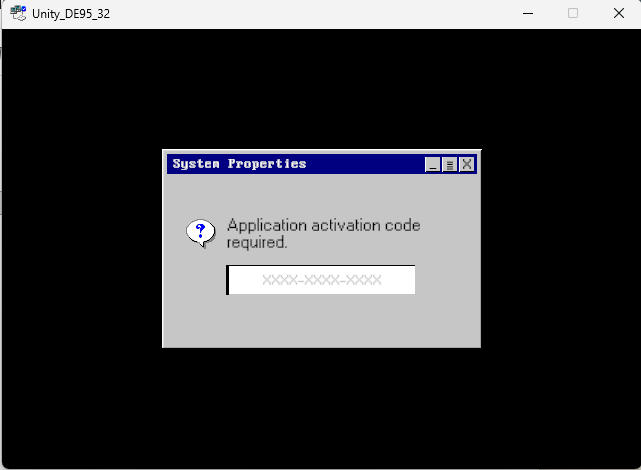
When you boot up the Unity_DE95_32.exe, you should be greeted with a system properties window, asking for the activation code for the software.
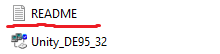
To find this code, you HAVE to refer to the README.txt that is provided both within the itch.io page downloadables, but also the project itself.
This is the introduction of the main game loop of the game, as the game consists of giving you new codes for other versions of this software that is packaged within this port. For all the codes refer to Codes section of this guide.
To activate the first editor you will have to type this code from the README.
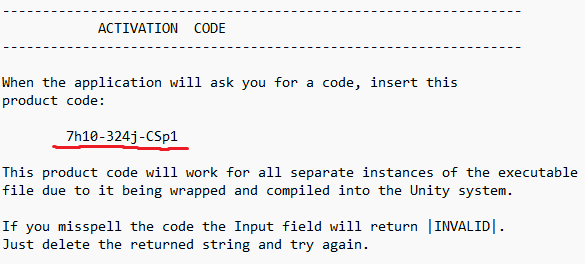
7h10-324j-CSp1
After doing so the first version of the editor will be accessible to you.
EDITOR VER.0.011.4
The README includes most of the guide as to how to use the editor but misses some of the important elements. Any missing elements will be elaborated here.
Whenever you load a level a cutscene will appear giving context to game KATABASIS which this editor has been retrofited to make levels for. They often contain hints as to what the player should do.
The maps will only load if you export the map after changing it in the green menu. Make sure that you can hear the sound after you press a button for confirmation of the map level being saved onto your pc.
- The player will spawn in the void if you do not assign a Starting Position Tile (4)
- The player will be stuck if you do not provide them a space to walk (1)
- In order to import your map to the editor, press the Import button (some versions of the editor are incompatibile with eachother)
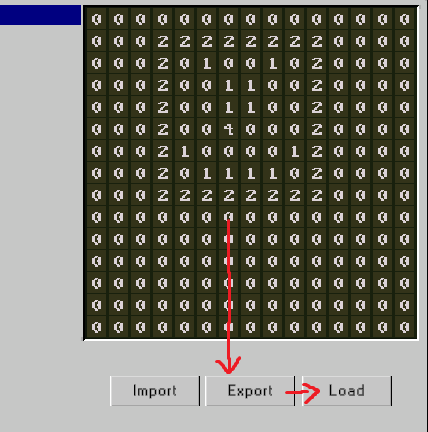
To exit a map, press ESC to load back to the editor.
When you load a map more than 5 times, an error message will appear that includes a code sent by the one of the program scripts known as TimeKnight.dll
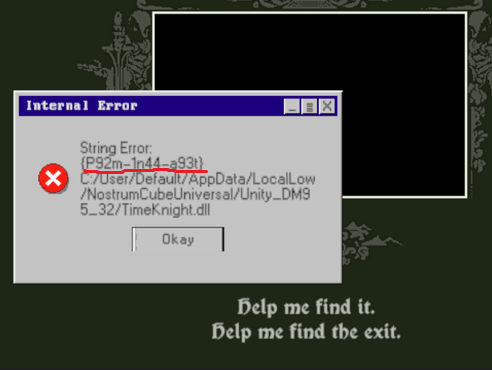
P92m-1n44-a93t
The cutscene for this event contains the sentence "Help me find it, help me find the exit" which is a sign of progression, as the narration appears to be asking us to find an 'Exit'.
This is where you can exit the program by either clicking Exit/Reopening the program - and then input the new code into the activation menu.
EDITOR VER.0.012.6dev
This next version of the Editor adds 3 new features to the map creation. This is portrayed to be a dev build that was created to test hazards for the user,
along side being able to play music from the game and open the directory of the levels that are created in order to save multiple maps.
Note that the Open Dir button may not work sometimes. If that happens, restart the program.
Alternatively, you can search the directory manually with C:\Users\[USERNAME]\AppData\LocalLow\NostrumCubeUniversal\Unity_DE95_32
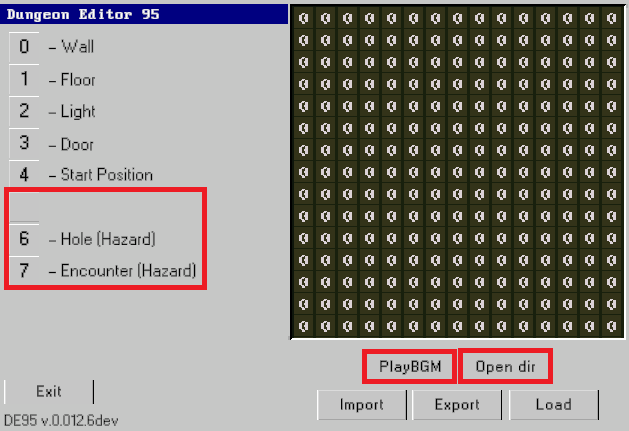
Similarly to the pervious version, we are looking for another code that might help us find the 'Exit' that the message in the previous cutscene was mentioning.
To find the code, this time the game expects you to fiddle more with the mechanics and the map, than just loading the level.
In order to progress you have to find the code scattered around the map.
If the player during the game encounters any of the hazards, the game will send this code after the death cutscene.
- If the player encounters a Hole (hazard) (6)
- If the player encounters a Encounter (hazard) (7)
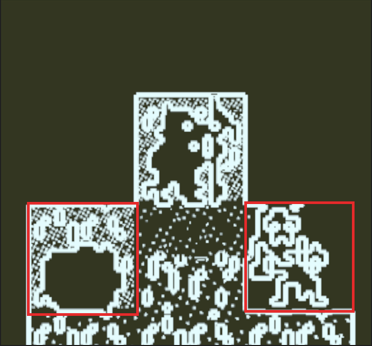
In both instances you will get part of the final code.
Hole code:
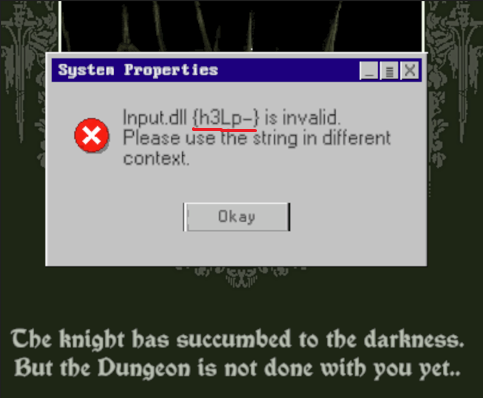
h3Lp-
Encounter code:
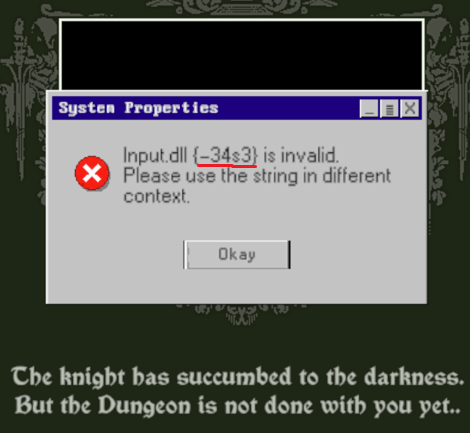
-34s3
This leaves us with only one part of the code left to find.
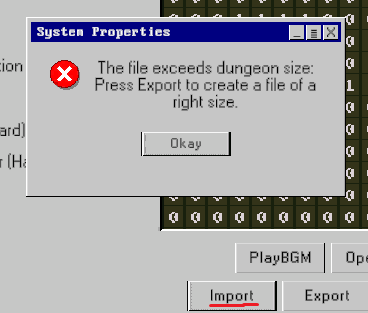
You may notice that attempting to import the map from the previous version, will not work. This is you first hint to try to see what is wrong with the file by looking for it in the game directory.
In order to fix this, you will have to create and Export another map, or copy the map and compare it to a newely exported map.
Press the Open Directory button, after exporting and you will get a clue as to where to look for the code.
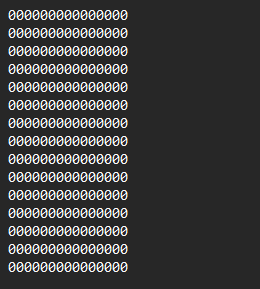
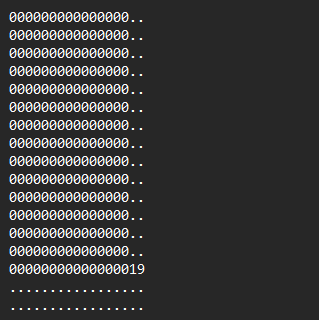
There is a second hint in the game that appears after loading the map multiple times. It will provide you with the game giving you a hint about where to find the remaining part of the code.
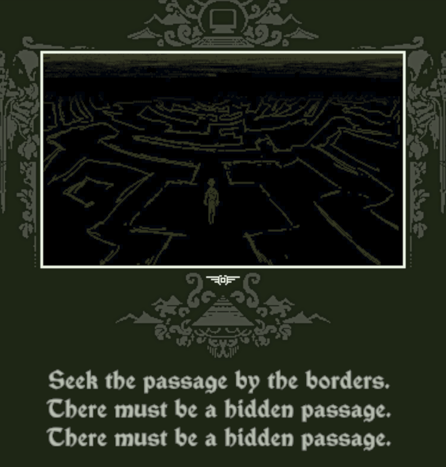
After reaching that point on the map, the player will be automatically sent to a First person view and made to navigate the dungeon they created in this mode.
due to this, it is advised to create the starting point somewhere near the 'secret passage' to avoid backtracking.
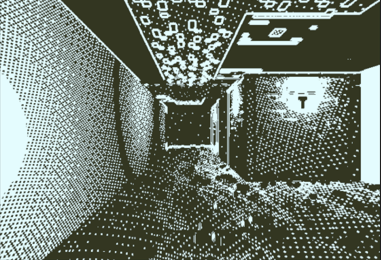
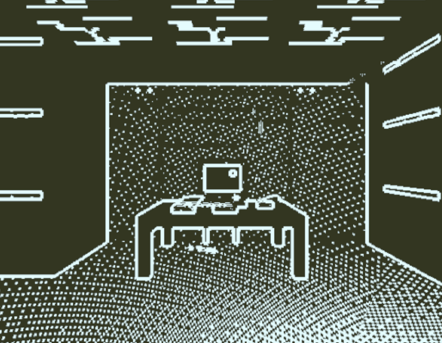
When you enter the out of bounds area, you are meant to find this computer, which after walking into it will provide you with the last code.
Computer code:
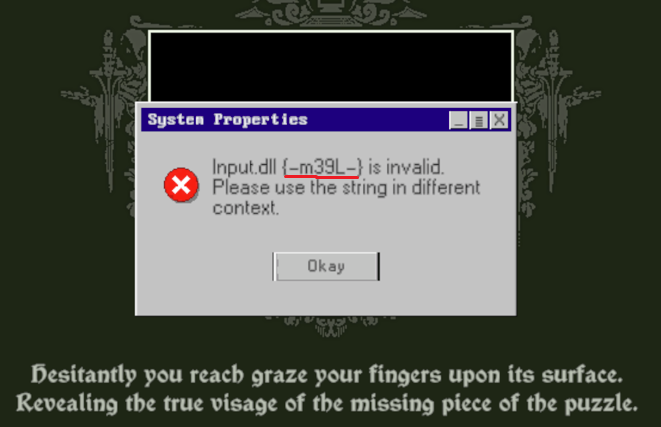
-m39L-
Now the only thing to do is to rearrange the code to fit the activation code box which can be accessed after exiting this version of the editor:
h3Lp-m39L-34s3EDITOR VER.1.003.1dev
This is the last found version of the Dungeon Editor 95 found in this Unityport.
It provides us with full, although unstable version of the editor with 9 tile types, first-person-camera toggle, as well as the 'Exit' that the cutscenes said did not exist.
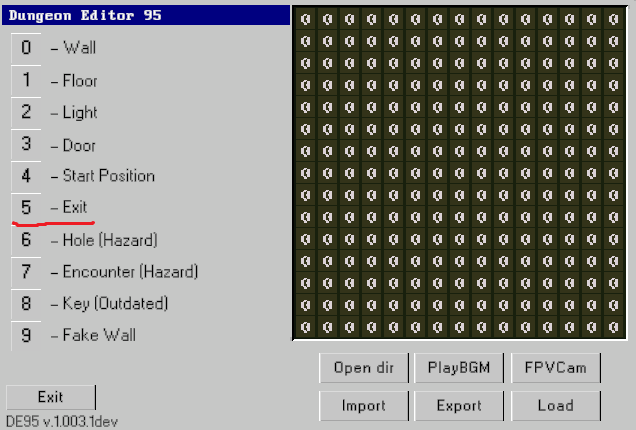
To finish the game, all there is left to do is to place the Exit (5) on the map with the Starting position (4) in an accessible manner,
and during the playtest mode walk the player character into the 'Exit' Tile.
Example:
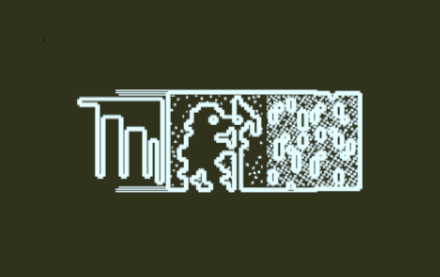
This results in a cutscene followed up with a choice in which we can choose to finish the game or keep playing.
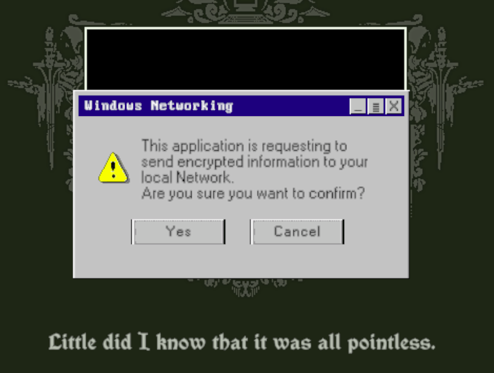
If you choose the former, the game will not be able to start again due to missing code that you agreeded to 'sent out'.
This concludes the Walkthrough part of the Guide.
Codes
Here is the list of all the codes within the program:
- DE95 v.0.011.4 - 7h10-324j-CSp1
- DE95 v.0.011.4 - P92m-1n44-a93t
- DE95 v.0.011.4 - h3Lp-m39L-34s3
- DEBUG - SKIP-TO-END
Extra
If you wish to play the game again after finishing it by making the choice of banishing the knight from the game, you can do so by following these steps:
- 1. Open your File Explorer.
- 2. Insert C:\Users\[USERNAME]\AppData\LocalLow\NostrumCubeUniversal\Unity_DE95_32 into the directory, or find it manually.
- 3. Delete file named "Default.txt"
After opening the game again, you should be able to play the entire game again.
If you wish to skip to the end cutscene without doing any gameplay, you can insert SKIP-TO-END code to open the cutscene and finish the game.